Deposit and Withdrawal Guide for Nagad88 Bangladesh
At Nagad88, we provide Bangladeshi players with a secure way to manage real-money activity through their account. A Nagad88 deposit can be made using supported mobile wallets or USDT, giving players convenient options for adding funds in BDT or cryptocurrency.
The Nagad88 minimum deposit depends on the selected payment channel, so check the amount shown in the cashier before confirming a transaction. Using the correct payment details helps protect your funds, avoid transfer errors, and keep deposits and withdrawals under control.
Get Bonus
How to Deposit Funds at Nagad88
Adding money starts in the cashier after you sign in to your Nagad88 account. The payment options for players in Bangladesh are displayed there with their minimum and maximum amounts, so you can select the correct channel for your deposit.
Use the payment details shown in the cashier for the selected channel and enter an amount within its displayed range. Each method has its own deposit limits, so check them before sending money and confirming the transaction.
The cashier also helps you select a channel based on the amount you want to add. Channels with lower minimums are suitable for smaller deposits, while channels with higher limits support larger top-ups. The sections below explain the supported deposit methods and the exact steps for adding money to your balance.
Popular Payment Methods in Bangladesh
Nagad88 supports Nagad, bKash, and USDT for deposits. Nagad and bKash provide local mobile wallet payment routes in Bangladeshi taka, while USDT uses a blockchain transfer. Each method is available through one or more channels, each with its own deposit range.
The current deposit options and limits are shown below. For USDT, the BDT values represent the equivalent amount used for the deposit request.
| Option | Channel | Deposit range |
|---|---|---|
| Nagad | PayBD | ৳300–৳25,000 |
| Nagad | SpeedPay | ৳300–৳30,000 |
| Nagad | A-Pay | ৳500–৳25,000 |
| bKash | PayBD | ৳500–৳25,000 |
| bKash | SpeedPay | ৳500–৳30,000 |
| bKash | A-Pay | ৳1,000–৳30,000 |
| USDT | ERC20 | ৳500–৳50,000 |
| USDT | TRC20 | ৳500–৳50,000 |
bKash deposits through PayBD and SpeedPay are unavailable from 12:00 AM to 7:00 AM Bangladesh time, so use another active channel during this period. For USDT, Nagad88 provides separate ERC20 and TRC20 options. Always select the same blockchain network in your external wallet and on Nagad88 before sending the currency. Sending USDT through a different network from the one selected for the deposit can result in loss of the transferred assets.
Step-by-Step Deposit Instructions
Depositing at Nagad88 requires you to select a supported route and follow the instructions displayed for that specific channel. Keep your wallet receipt or confirmation after the transfer until the funds appear in your Nagad88 balance.
Follow these steps to complete your deposit correctly:
- Sign in to Nagad88. Open the official website, access your account, and go to the Deposit section.
- Choose a deposit option. Select Nagad, bKash, or USDT from the methods displayed in the cashier.
- Select the channel. For local wallets, choose PayBD, SpeedPay, or A-Pay. For USDT, select ERC20 or TRC20.
- Enter the deposit amount. Make sure the amount falls within the minimum and maximum range displayed for the selected channel.
- Follow the cashier instructions. Send the required amount using the recipient details or crypto address provided for that deposit request.
- Confirm the deposit. Enter the reference ID when requested and complete the confirmation process.
- Check your balance. Return to Nagad88 and confirm that the deposited amount has been credited before using the funds.
For USDT deposits, check the blockchain network before sending and use the address generated for that request. For Nagad and bKash, use the recipient information displayed for your current deposit rather than payment details from a previous transaction. If you have completed the payment but the funds are not credited, keep the receipt and reference ID so our customer support team can check the transaction.
Withdrawing Your Winnings
Withdrawing winnings starts in the withdrawal section of your Nagad88 account after the funds meet the requirements for withdrawal. Our payout process uses the channels displayed in the cashier and includes account and payment checks before the request is completed.
Prepare the withdrawal details carefully before submitting your request. Check the destination wallet number, withdrawal amount, and phone confirmation status to make sure the information is correct. Accurate details help prevent a request from being held because of an incorrect wallet number or incomplete account information.
The sections below explain the supported withdrawal channels for Bangladeshi players, their limits, and the requirements for completing a withdrawal.
Supported Withdrawal Channels
Nagad88 supports Nagad, bKash, and Rocket as local withdrawal channels for Bangladeshi players. These options provide direct cashout routes to supported mobile wallets in BDT. USDT is available for deposits only and cannot be selected for withdrawals.
Before submitting a withdrawal, make sure your phone number is confirmed and the destination wallet details are correct. The process follows these steps:
- Sign in to Nagad88. Open your account and go to the Withdrawal section.
- Choose a wallet. Select Nagad, bKash, or Rocket from the available withdrawal options.
- Enter the amount. Specify how much you want to withdraw from your eligible balance.
- Add your wallet details. Enter the correct mobile number for the selected wallet.
- Complete confirmation. Enter the OTP or complete the required phone confirmation.
- Submit the request. Review the destination details and amount before confirming.
Nagad, bKash, and Rocket give Bangladeshi players local options for receiving withdrawals without using a cryptocurrency wallet. The mobile number linked to the selected wallet must be entered correctly, and you must have access to it for the required confirmation.
Phone verification must also be completed before the withdrawal request is accepted. An incorrect wallet number, incomplete confirmation, or mismatched account details can stop the request from being processed and require assistance from our customer support team.
Payout Times and Transaction Limits
The Nagad88 withdrawal time is determined by the selected withdrawal channel and the checks required for the request. Nagad, bKash, and Rocket are the local payout options, while USDT is not supported for withdrawals. Phone verification and correct wallet details are required before a request can be completed.
The withdrawal ranges differ between the supported mobile wallets. The current limits are:
| Withdrawal method | Minimum | Maximum |
|---|---|---|
| Nagad | ৳500 | ৳30,000 |
| bKash | ৳500 | ৳30,000 |
| Rocket | ৳800 | ৳20,000 |
The processing of a request also depends on successful account checks. Complete phone confirmation, enter the correct wallet information, and finish any required approval step before submitting. Do not create repeated withdrawal requests for the same amount while an existing request is being processed. Check the withdrawal status in your Nagad88 account and contact customer support if a completed request does not reach the selected wallet.
Security and Protection of Your Funds
At Nagad88, we protect personal and financial information with security protocols designed to keep account activity private. Access to personal data is restricted to authorized personnel. We use account information to confirm identity and age, process deposits and withdrawals, provide customer assistance, and meet applicable legal requirements. Transactions connected with suspected fraud or illegal activity are cancelled.
Verification is an important part of withdrawal security. Your phone number must be confirmed before a withdrawal request is accepted. Nagad88 sends an OTP to the mobile number linked to the account, and you must enter the code within its validity period. Use a phone number you control and never give the OTP to another person.
Players also need to follow basic security practices when moving money. Use only the official Nagad88 website, keep your login credentials private, and check the recipient information displayed for every new deposit. Do not rely on payment details saved from an earlier transaction.
USDT deposits require an additional network check. ERC20 and TRC20 are token standards used on different blockchain networks, so the network selected in your wallet must match the one selected in the Nagad88 cashier. Check the generated address and network before sending USDT. If you notice a deposit, withdrawal, or other account activity that you do not recognize, contact our customer support team immediately.
Solving Transaction Issues

A missing deposit does not require a second payment. First check that your mobile wallet or blockchain service shows the transfer as completed, then compare the amount, recipient details, selected channel, and reference ID with the information used for the Nagad88 deposit. Keep the receipt or transaction confirmation until the issue is resolved.
Use the following checks to identify common deposit and withdrawal problems:
- Deposit not credited. Confirm that the payment was completed successfully and that the correct recipient details were used. Submit the reference ID when the selected deposit route requires it.
- Some bKash channels are unavailable. PayBD and SpeedPay are unavailable from 12:00 AM to 7:00 AM Bangladesh time. Use another active route during this service window.
- USDT not credited. Check that the blockchain network used for the transfer matches the selected Nagad88 route.
- Withdrawal rejected. Confirm your phone number, check the destination wallet details, and make sure the requested amount meets the requirements for the selected channel.
- OTP problem. Request the code using the mobile number connected to your account and enter it within its validity period.
- Transaction still unresolved. Contact our customer support team and provide the amount, payment route, transaction time, receipt, and reference or transaction ID.
Do not submit duplicate payments or withdrawal requests while the original case remains unresolved. Providing complete transaction details allows our support team to identify the original request and investigate the issue without confusing it with additional transfers.
Understanding Transaction Fees and Policies
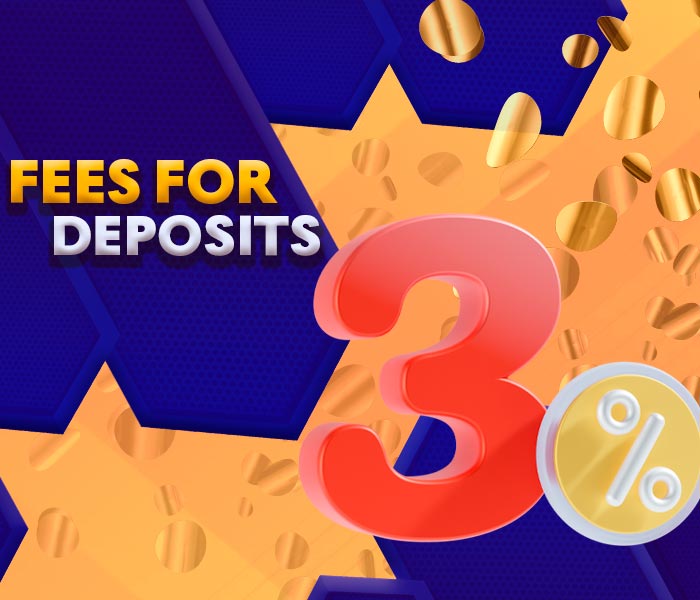
We do not charge a separate Nagad88 fee for the deposit and withdrawal methods available on our platform. Crypto deposits may still include blockchain network charges, which are determined by the selected network and your wallet provider.
Every transaction must follow the minimum and maximum limits shown for the selected payment route. Deposit and withdrawal details must be entered correctly, and withdrawals require a verified phone number before they can be processed.
We may delay, reject, or cancel a transaction when the submitted information is incorrect, required verification is incomplete, or we detect suspicious or unauthorized activity. Always review the amount, payment details, and selected channel before confirming a transfer.
How to Track Your Transactions on Nagad88
open the Nagad88 website or app and log in to your account using your credentials (username and password);
after logging in, a player from Bangladesh will be taken to his account control panel;
players from Bangladesh will be able to find the “Transaction History” section and go to it;
in the Transaction History section, our players will be able to see a detailed list of all their transactions, including deposits and withdrawals.
Managing Your Transaction History
At Nagad88, we recommend keeping track of deposits and withdrawals to manage your gaming budget and identify transaction issues quickly. Use the financial history available in your account to review completed and pending operations instead of relying only on the current gaming balance.
When checking a transaction, compare its date, amount, status, and reference details with the confirmation from your mobile wallet or blockchain service. This is especially useful when several deposits were made close together, as each receipt helps identify the exact payment.
We also recommend saving receipts for important deposits and withdrawals. A wallet confirmation, reference ID, transaction ID, or blockchain hash gives our customer support team the information needed to locate a specific payment if you contact us about an issue.
Review your transaction history regularly and compare it with your personal payment records. This helps you monitor how much money you add and withdraw, maintain control over your gaming budget, and separate Nagad88 transactions from other personal spending. Keep payment confirmations until each deposit has been credited and each withdrawal has reached the selected wallet.
Expert Tips for Faster Transactions
At Nagad88, we recommend checking your account and payment details before moving money. Completed verification, correct wallet information, and correct network selection help prevent avoidable transaction delays and reduce the risk of sending funds to the wrong destination.
Use these practices to keep deposits and withdrawals smooth:
- Verify your phone number early. Complete phone confirmation before your first withdrawal and enter the OTP within its validity period.
- Use SpeedPay for fast Nagad deposits. Select this channel when you want an instant Nagad deposit.
- Follow the bKash service window. PayBD and SpeedPay are unavailable from 12:00 AM to 7:00 AM Bangladesh time, so use another active channel during these hours.
- Check the amount range. Enter a deposit or withdrawal amount within the limits displayed for your selected route.
- Check payment details carefully. Copy wallet numbers and blockchain addresses directly instead of entering them from memory.
- Keep your payment confirmation. Save the receipt, reference ID, or blockchain transaction hash until the funds are credited successfully.
- Use official Nagad88 channels. Complete financial operations through our official website and contact our customer support team for transaction assistance.
Review every confirmation screen before submitting a payment or withdrawal. Checking the amount, recipient, wallet number, and network before approval takes only a few moments and helps keep your Nagad88 transactions accurate and secure.
FAQ
What is the minimum deposit at Nagad88?

The minimum deposit depends on the selected method. Nagad deposits start at ৳300, bKash starts at ৳500, and USDT ERC20 deposits start at the equivalent of ৳500.
How much can I withdraw through Nagad or bKash?
You can withdraw from ৳500 to ৳30,000 through Nagad or bKash. Select your preferred wallet, enter an amount within this range, and confirm the withdrawal.
Do I need to verify my phone number before withdrawing?
Yes. We require phone verification before accepting a withdrawal request. Enter the OTP sent to your registered mobile number to confirm your phone and proceed with the withdrawal.