Nagad88 Registration Guide: Your Gateway to Premium Gaming in Bangladesh

Creating an account with us is a simple process for eligible players in Bangladesh. The Nagad88 register process gives you access to one platform for deposits, betting, casino games, promotions, and account management.
You can create a Nagad88 new account from desktop or mobile, select BDT during sign-up, and add a Bangladesh phone number as part of the process. In this guide, we explain each registration method, verification, available benefits, common issues, and the security measures that can help protect your account from the start.
Get Bonus
Why Join Nagad88? Benefits for Bangladeshi Players

Completing the Nagad88 bet sign up gives you access to services tailored to players in Bangladesh. We combine BDT transactions, local payment channels, casino and betting options, recurring promotions, and account security in one platform.
The main benefits of joining us include:
- Local payments. You can use BDT as your account currency, with Nagad and bKash available among our local payment options.
- Casino and betting choice. Our games include slots, live casino tables, table games, fishing titles, and other categories, alongside sports betting.
- Promotions and rewards. We offer first-deposit promotions, reload deals, cashback, referral benefits, NSpin campaigns, and VIP rewards for eligible members.
- Mobile access. Android users can install our APK, while iPhone and iPad users can access the mobile website or add the PWA to the Home Screen.
- Security controls. We use technical and administrative safeguards to protect personal information and restrict access to sensitive data.
Step-by-Step Registration Guide
You can complete the Nagad88 registration process from a computer or phone. Below, we explain the desktop and mobile registration routes separately, so you can follow the correct steps for your device and complete the setup without confusion.
Registering via Desktop
The Nagad88 registration form starts with your username and password, then moves to currency and phone details. Have an active Bangladesh mobile number ready before you begin so you can complete the form without interruption. Follow these steps to create your account on desktop:
- Open Nagad88. Visit our website and select Sign Up at the top of the page.
- Create a username. Enter a username containing between 6 and 13 characters.
- Set your password. Create a password, then enter it again in the Confirm Password field.
- Continue to the next stage. Select Continue after completing all required fields on the first screen.
- Choose your currency. Select BDT for an account intended for use in Bangladesh.
- Add your phone number. Choose the Bangladesh +880 country code and enter your active mobile number.
- Enter a referral code. This field is optional, so you can leave it blank if you do not have one.
- Complete registration. Review your details and select Complete to create your profile.
Use accurate information at every stage. Incorrect details can cause problems later if identity, account, or payment verification is required.
Registering via Mobile App and Web
The Nagad88 sign up process is also available on mobile. Android users can install our APK, while iPhone and iPad users can register through Safari and add the PWA to the Home Screen for quicker access.
For Android, install the app first and then complete registration:
- Open Nagad88 on Android. Visit our website using your mobile browser.
- Download the APK. Select the app download option and save the APK file to your phone.
- Allow installation if prompted. Android may ask you to allow installation from your browser before the APK can be installed.
- Install and launch the app. Open the downloaded file, complete installation, and start Nagad88.
- Select Sign Up. Create a username with 6–13 characters, then create and confirm your password.
- Continue to account details. Tap Continue and choose BDT as your currency.
- Enter your mobile number. Select the +880 country code and add an active Bangladesh phone number.
- Add a referral code. Leave this optional field blank if you do not have one.
- Finish registration. Review the information and select Complete.
For iPhone and iPad, open our mobile website in Safari and complete the same registration fields. To add the PWA to your Home Screen, tap Share, choose Add to Home Screen, and confirm. After setup, use the same account details for login on the mobile site or PWA.
Completing Your Account Verification (KYC)
Verification will be requested after registration to confirm your identity and account eligibility. Below, we explain why this check is important and what information or documents you may need to provide when we ask you to complete KYC.
Importance of Account Verification
Identity checks help us confirm that users meet the 18+ requirement, reduce fraud, and protect financial activity connected to each account. Matching personal and payment information can also prevent avoidable delays when a withdrawal or payout requires additional review.
We use registered information for age and identity checks, transactions, customer support, and applicable legal or regulatory requirements. Keeping your personal details complete and accurate makes these checks easier to process and helps us protect the account from unauthorized activity.
Documents and Steps for Successful KYC
We request proof of age, identity, or other information needed to verify your account. The required documents can depend on the verification request, so prepare only the information we specifically ask you to provide.
When KYC is required, use the following process to complete it:
- Check the verification request. Review the instructions displayed in your account.
- Prepare the requested proof. Provide the specific document or information requested for your case rather than sending unrelated files.
- Check your personal details. Make sure the information on your documents matches the details entered when you registered.
- Submit your information. Upload or send the requested proof using the method specified in the verification instructions.
- Wait for the review. Allow us to process your submission before sending the same files again.
- Ask for assistance if needed. Contact Customer Service if a requirement is unclear or your submission is rejected.
Never share KYC documents with unknown contacts, unofficial social media accounts, or third parties claiming they can complete verification for you.
Bonuses and Promos for New Registered Users
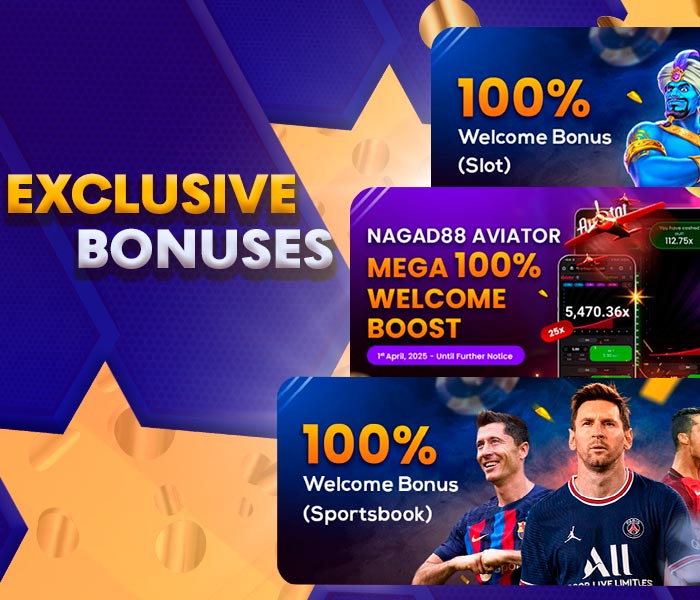
A Nagad88 registration bonus is only one part of the promotion system available after sign-up. Some campaigns focus on the first deposit, while other offers are linked to recurring deposits, weekly activity, qualifying losses, referrals, NSpin, or VIP status.
The main promotion types available to registered users include:
- Welcome campaign. New users can receive a 100% first-deposit match up to ৳20,000.
- Deposit and recurring campaigns. Promotions can include weekly rewards, Friday slot campaigns, and Play Safe offers.
- Loss rebate. Eligible members can receive a weekly return of 3% to 30% based on qualifying net losses.
- Referral program. Members can receive rewards for inviting eligible new users.
- NSpin. This coin-based wheel gives registered users chances to win cash rewards up to ৳30,000 through qualifying deposits and daily check-ins.
- VIP tiers. Higher status levels can provide upgrade rewards, additional deposit rewards, and deposit coins.
To claim a bonus, first complete registration and log in to your account. Open the Promotions section, choose an eligible campaign, review its deposit, turnover, game, and time requirements, then follow the activation instructions shown for that offer before making any required qualifying payment.
Troubleshooting Common Registration Issues

Most sign-up problems can be resolved by checking the information entered on each screen. If you are looking for a Nagad88 registration number, registration uses an active Bangladesh mobile number with the +880 country code rather than a separate registration ID.
Use these checks if registration does not continue:
- Username error. Make sure your username contains between 6 and 13 characters.
- Password mismatch. Enter exactly the same password in both password fields.
- Phone number rejected. Check that +880 is selected and enter your active Bangladesh mobile number correctly.
- OTP delay. If a verification code is requested, confirm the phone number and check your mobile signal before requesting another code.
- Referral code issue. Leave the referral field blank if you do not have a valid code.
- Age restriction. You must be at least 18 and legally eligible to use our services in Bangladesh.
If the issue continues, contact our Customer Service team at [email protected] and explain which registration step is failing. Include the error message if one appears, but do not send passwords or other sensitive login details by email.
Account Security: Tips for New Users
Protect your account from the first day instead of waiting for a security problem. We provide security controls and restrict access to personal data, but account safety also depends on how you manage passwords, authentication codes, devices, and recovery information.
Use these practices to strengthen your account security:
- Create a strong password. Choose a unique password that you do not use for other websites or accounts.
- Protect authentication codes. Never share your password, OTP, or recovery information with another person.
- Use trusted devices. Avoid saving your credentials on public or shared phones and computers. Always sign out when you finish using a shared device.
- Check the website before entering data. Make sure you are using the correct Nagad88 website before signing in, submitting personal information, or downloading the Android APK.
- Review unusual activity. Contact our Customer Service team if you notice a login, account change, or transaction that you do not recognize.
Following these practices helps protect access to your account alongside the technical and administrative safeguards we use for personal information.
FAQ
What is the Nagad88 bonus for new users?

The Nagad88 sign up bonus can include a 100% first-deposit match up to ৳20,000. Before depositing, check the campaign requirements for eligibility, minimum deposit, turnover, and any time limits.
Do I need a code during registration?
Nagad88 sign up bonus codes are not required during registration. A referral code is optional, and you should enter a promotional code only when a specific offer requires one.
Which deposit methods can I use after registration?
After registration, you can use local payment options such as Nagad and bKash.
Do I need verification before withdrawing?
We will request phone or identity verification before processing a withdrawal. Keep your account details accurate and complete any requested checks so we can confirm your age, identity, and payment information.
How can I get help with registration?
First, check your username, password confirmation, BDT selection, +880 phone number, and referral field. If registration still fails, contact our Customer Service team at [email protected] and describe the error you see.